
Billing and invoicing data
Review recorded hours by person, task, and project before preparing invoices or internal cost reports. A consistent work history reduces reliance on memory and makes hourly billing easier to verify.
Move directly to the tools for time visibility, productivity analysis, team coordination, reporting, and integrations.
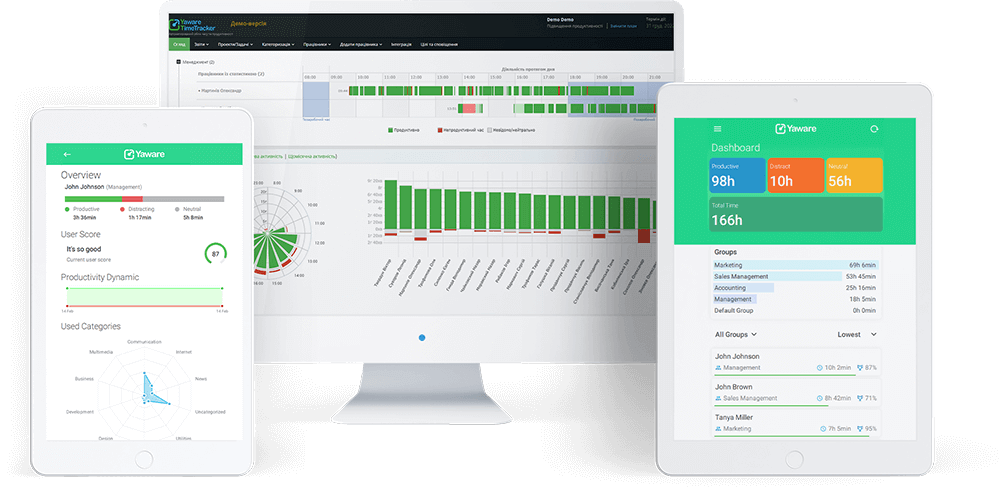
Automatic time and productivity tracking, automatic categorization of work time, smart reports, email and mobile notifications – inclusive data right in front of you anytime, anywhere.
Discover your best work schedule, define the perfect balance between online and offline activities, eliminate time eaters – Yaware.TimeTracker will help close productivity gaps quickly and achieve more.
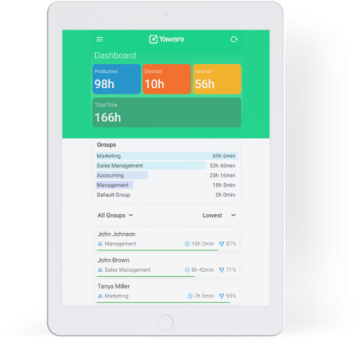
Check data on any computer, tablet and smartphone running Mac OS, Linux, Windows, iOS or Android – organize your time wisely while at work or on the go. Stay productive wherever you are.
Time and attendance, Internet and software use, flexitime and overtime – all you need to know about productivity is now precisely measured and gathered in one place.
Measure working time automatically instead of asking employees to reconstruct their day from memory. Yaware records computer-based activity against the configured work schedule and turns it into a consistent work history for review.
Use the data to compare planned and actual workload, identify overtime, and improve processes. Time data should provide context for management conversations—not replace goals, quality, or business outcomes.
Related: How to get startedCompare plans

Understand how much work time is spent in applications and websites, then classify resources as productive, neutral, or unproductive according to each role. The same tool may be essential for one team and irrelevant for another, so categories can reflect real responsibilities.
Review patterns over time to find tool switching, distracting workflows, and software that creates unnecessary effort. Focus on improving the process rather than judging a person from a single activity.
Related: Explore productivity analysis

Add meetings, calls, training, field work, breaks, and other activities that happen away from the computer. This creates a more complete record than computer activity alone and prevents legitimate offline work from appearing as unexplained inactivity.
Offline records are useful for mixed-role and hybrid teams, especially when timesheets, attendance, or project costs require the full workday—not only active screen time.
Related: Explore automated timesheetsSolutions for hybrid teams
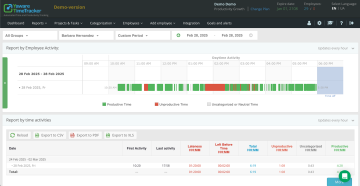
Optional screenshots and webcam captures can add visual context when a legitimate workflow requires it—for example, approved contractor verification or investigation of a specific process issue. Capture frequency and access should be limited to the business purpose.
Use this capability transparently, communicate the policy, protect captured data, and follow applicable employment and privacy requirements. For most performance decisions, combine visual context with tasks, quality, and delivery outcomes.
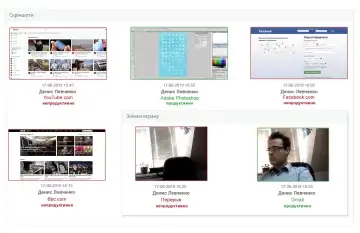
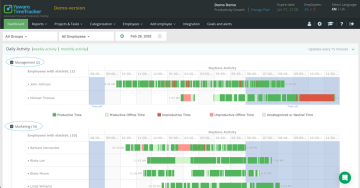
Configure work schedules and review recurring lateness, early departures, extended inactivity, or overtime in one place. Managers can distinguish an isolated exception from a repeated pattern before deciding what action is appropriate.
Discipline reports work best when schedules, exceptions, and expectations are clear. Use them to correct workload or process problems first, then address policy violations consistently and fairly.
Related: Explore HRM integrations
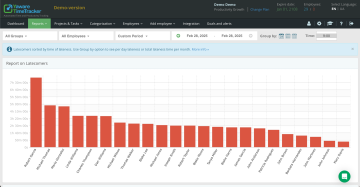
Receive scheduled summaries and important notifications without remaining inside the dashboard all day. Alerts help managers notice overtime, inactivity, or unusual schedule deviations while there is still time to clarify the cause.
Choose only signals that require action. A smaller, relevant notification set reduces noise and supports remote teams without replacing direct communication.
Related: Remote-work solutionsTime tracking for hybrid teams
Reflect the real company structure by grouping employees into departments, offices, projects, or functional teams. Assign responsible managers so each leader sees the workload and reports relevant to their area.
A clear structure makes comparisons more meaningful, simplifies recurring reporting, and helps identify where capacity is overloaded or underused.
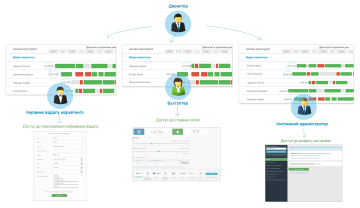
Give executives, department managers, HR specialists, accountants, and system administrators access only to the information required for their responsibilities. Different roles can review different teams and report levels.
Role-based access reduces unnecessary exposure of employee data and supports clearer ownership of attendance, productivity, payroll, and operational reporting.
Related: Explore HRM integrationsContact us about access design
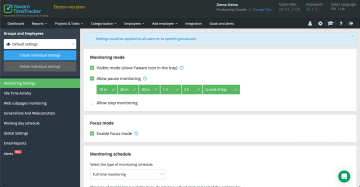
Yaware can support visible or background tracking configurations, depending on the approved use case and local requirements. The configuration should match a documented business purpose, not simply collect the maximum amount of data.
Transparent monitoring is usually easier to explain and adopt. Inform employees about what is recorded, who can access it, how long it is retained, and how the information will—and will not—be used.
Related: What is Yaware.TimeTracker?Discuss your monitoring policy
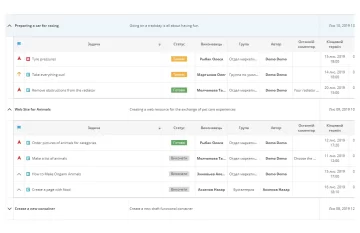
Connect working time with projects and tasks to compare estimates with actual effort. Managers can see which stages consume capacity, where deadlines are at risk, and when additional requests move beyond the original scope.
Task-level history improves future planning and gives service teams a clearer basis for project cost, client reporting, and workload allocation.
Related: Project and task integrationsSolutions for consultants
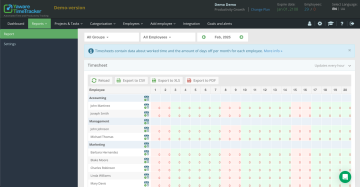
Generate a consistent record of attendance, worked hours, absences, overtime, and approved offline activity. Automated collection reduces forgotten entries and the administrative effort of rebuilding timesheets at the end of the week.
Review and approve the data before using it for payroll, billing, or compliance workflows. Connect it with the systems already used by HR and finance to reduce duplicate entry.
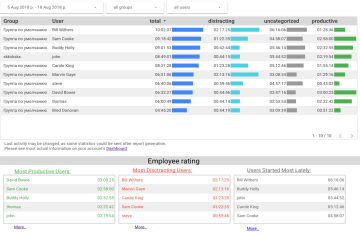
Use the Google Data Studio connector to turn Yaware data into dashboards tailored to management, HR, finance, or delivery teams. Combine time patterns with project, department, or period views instead of relying on one generic report.
Start with a decision the dashboard should support, then include only the metrics required for that decision. For broader workflows, use connected systems and API-based data exchange.
Connect CRM activity with work-time data to understand the effort behind sales, onboarding, support, and account management. This helps reveal customer relationships that require more operational capacity than the CRM activity count alone suggests.
Use client-effort context alongside revenue, pipeline, retention, and service quality when planning account ownership or improving sales processes.
Related: Explore CRM integrationsCRM solutions for marketing agencies

Classify work time as productive, neutral, or unproductive for each role and review patterns by employee, team, department, or period. Trends provide more useful context than a single daily score.
Use analysis to find workload imbalance, recurring interruptions, unsuitable tools, and processes that create avoidable effort. Combine time data with quality and delivery outcomes before making performance decisions.
Related: Explore solutions by industryFocus mode and work habits
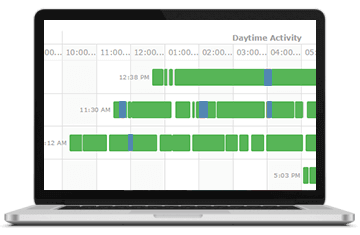
Review reports and current work-time information from the web interface and supported viewer experiences, while tracking agents collect approved data on employee computers. Managers can stay informed without being tied to one office workstation.
Platform availability and monitoring settings may differ by environment. Confirm the required operating systems, security controls, and deployment model before a company-wide rollout.

Use workload and project history to distribute assignments with better context. Managers can see where capacity is constrained, which handoffs create delays, and when priorities need to be clarified.
Delegation becomes more reliable when time data is combined with skills, deadlines, task complexity, and ownership—not used as the only allocation signal.

Recognize sustained contribution with evidence from completed work, reliable delivery, and healthy workload patterns. Use time information to explain constraints and achievements, not to reward activity volume by itself.
Fair evaluation combines effort with quality, outcomes, collaboration, and role expectations. This creates more useful development conversations and reduces incentives to appear busy.
Use reliable work-time data not only for visibility, but also for billing, system integration, and focused work.
Review recorded hours by person, task, and project before preparing invoices or internal cost reports. A consistent work history reduces reliance on memory and makes hourly billing easier to verify.
Bring Yaware data into reporting, HRM, CRM, and project-management workflows so teams can reduce duplicate entry and analyze effort alongside business outcomes.
Use work patterns to recognize interruption-heavy periods, protect time for demanding tasks, and discuss sustainable workload improvements with the team.
Use the trial period to validate which reports, controls, and integrations are most useful for your organization.
